How Creators Actually Use AI for Social Media (Captions, Carousels & Planning That Works)
10 PM. Sunday night. Again.
I’ve got three edited Reels sitting in my drafts. The carousel I sketched out on Tuesday? Still just bullet points in my Notes app. And I’m staring at this blank caption box like it personally insulted me.
My brain feels like static.
This was my life for two years straight. I’d batch-shoot content on weekends, feel productive for about forty minutes, then spend the next six days scrambling to actually publish anything. The content existed. My ability to package it into something people would actually stop scrolling for? That was the problem.
Here’s what nobody tells you about content creation: the hard part isn’t having ideas. It’s executing them consistently without your brain turning into soup.
AI for social media content is when you use artificial intelligence tools to help you think through, draft, design, and schedule your posts—captions, carousels, videos, calendars, all of it—while keeping your voice intact and your sanity recoverable.
Not automation that strips out your personality. Not robots writing for you. Co-creation. You’re still the creative director. AI just stops you from spending 45 minutes staring at a cursor.
The Content Marketing Institute found that over 60% of marketers now use AI somewhere in their content workflow. Social media’s where it’s growing fastest. Makes sense—social content is relentless. Daily. Multiple platforms. Different formats. It never stops.
But here’s what most guides won’t tell you, because they haven’t actually done this: AI doesn’t save you time if you treat it like a writer instead of a collaborator. I wasted three months treating it like a caption vending machine. Insert topic, receive garbage, wonder why my engagement tanked.
The shift happened when I stopped asking AI to write for me and started using it to write with me.
That’s what this guide is about. Not theory. The actual workflow. How to use AI for captions without sounding like a corporate bot. How to structure carousels that don’t feel like ChatGPT threw up on Canva. How to plan content that actually reflects your strategy instead of just… existing.
Let’s get into it.
Table of Contents
- What AI for Social Media Actually Means
- How to Use AI for Social Media Content: Step-by-Step Guide
- Writing Captions with AI (The Right Way)
- Creating Carousels That Don’t Suck
- Building a Content Planning System That Works
- Tools Comparison (What I Actually Use)
- The Real Workflow (Step-by-Step)
- Examples: Captions and Carousels
- What AI Can’t Do (And Shouldn’t)
- What’s Coming Next
- FAQ
- Final Thoughts
What AI for Social Media Actually Means (And What It Doesn’t)
The Old Way Was Breaking
Let’s be honest about what traditional content creation looks like:
Brainstorm. Research. Write. Hate it. Rewrite. Edit. Design. Hate that too. Schedule. Hope it works.
Every. Single. Post.
The process is linear and exhausting. And it assumes you have unlimited creative energy, which—if you’re running a business or managing clients or just trying to not burn out—you don’t.
AI for social media content changes the structure of that workflow. It handles the first-draft work, the pattern stuff, the “getting started” friction that kills most content before it even exists.
But here’s the critical thing most people miss: AI doesn’t make good content. It makes starting points.
I learned this the hard way. Spent three weeks posting AI captions basically verbatim. My engagement dropped 40%. Comments went to zero. One person DM’d me asking if I was okay because my “energy felt off.”
AI wrote the captions. They were grammatically perfect. Structurally sound. Completely soulless.
The Instagram caption that performs well isn’t what ChatGPT generates. It’s what you build after AI gives you the framework and you add your personality, your stories, your way of talking.
Why This Matters Now
The demands are insane:
Instagram sees 95 million photos and videos posted daily. The average brand pushes 10-15 pieces of content weekly across platforms. Audience expectations for quality? Through the roof.
You’re stuck in a triangle: quality, quantity, or sanity. Pick two. You can’t have all three.
Unless you completely redesign how you work.
That’s where AI comes in. Not as a shortcut to mediocre content. As a way to stop spending three hours on a carousel outline when AI can give you one in three minutes that you then spend 30 minutes making yours.
How to Use AI for Social Media Content: Step-by-Step Guide
The 5-Step Process That Actually Works
Here’s the exact process I use. Not theory—what actually happens when I sit down to create content.
Step 1: Define Your Voice Parameters (One-Time Setup)
Before you ask AI to write anything, create a voice document. Takes 20 minutes once.
Include:
- 3-5 adjectives describing your tone
- 10-15 of your best-performing captions
- Phrases you always use vs phrases you never use
- Your audience’s biggest pain points
Step 2: Load Context Into Every Session
Don’t start fresh each time. Copy-paste your voice parameters at the start of each AI session. Add specific context about the post you’re creating.
Step 3: Use Structured Prompts, Not Vague Requests
Generic: “Write a caption about productivity” Specific: “Write a 150-word Instagram caption for burnt-out entrepreneurs about time-blocking. Hook: Monday morning scenario. Include one counterintuitive tip. Ask a question at the end. Tone: [your adjectives].”
Step 4: Edit for Voice and Story (Non-Negotiable)
AI gives you structure. You add:
- Personal stories only you can tell
- Specific examples and numbers
- Your natural speech patterns
- Emotional texture
This step takes 5-10 minutes per post. Skip it and people will notice.
Step 5: Test and Track What Works
Run your own experiments. Post AI-assisted content alongside your traditional content. Track engagement rates. Notice which prompts produce better starting points. Refine your process.
The pattern: AI handles blank-page paralysis and structural thinking. You handle authenticity and strategy.
Writing Captions with AI (The Right Way)
What Makes a Caption Actually Work
Before we talk AI, let’s talk structure. Good captions have:
- Hook (the first line people see before “more”)
- Value (story, insight, tip, something they care about)
- Engagement trigger (question, CTA, something to respond to)
- Voice consistency (sounds like you, not like everyone)
AI’s really good at structure and ideas. Terrible at voice. Until you teach it.
How I Actually Use AI for Captions Now
Biggest mistake creators make: treating AI like magic. Type “write me a caption about productivity” and wonder why the output is generic trash.
Here’s what works instead:
Step 1: Load Context First
Don’t just ask for a caption. Feed the AI your brand voice, previous captions that performed well, who your audience is. More context = better output. This isn’t optional.
Step 2: Prompt with Structure, Not Vague Requests
Bad prompt: “Write an Instagram caption about productivity.”
Good prompt: “Write an Instagram caption for a productivity coach targeting burnt-out entrepreneurs. Hook: relatable Monday morning scenario. Body: one counterintuitive tip about time blocking. CTA: ask what their biggest time waster is. Tone: warm, conversational, no corporate speak. 150 words max.”
See the difference? You’re giving AI guardrails.
Step 3: Edit Like Your Brand Depends on It (It Does)
Take what AI gives you. Now make it yours. Remove clichés (AI loves clichés). Add a story only you can tell. Change the rhythm. The AI draft saves you 70% of the time. The final 30%—the editing—is where your voice lives.
I spent two months skipping Step 3. My engagement proved it was a mistake.
I still mess this up more often than I’d like to admit.
The Prompt Framework I Use
Role: You are a [your niche] content creator
Audience: [who they are + what they struggle with]
Post type: [carousel/Reel/static post]
Topic: [specific angle, not broad]
Goal: [educate/inspire/sell/engage]
Voice: [3-5 adjectives that describe how you sound]
Structure: Hook + [2-3 main points] + CTA
Constraints: [word count, phrases to avoid, must-include elements]
This turns generic AI into something actually useful.
If you want, I’ll break down the exact prompts I use for different post types in a future post.
Creating Carousels That Don’t Suck
Why Carousels Work (And Why They’re Annoying to Make)
Carousels outperform static posts consistently. Engagement rates average 1.9% vs 1.5% for single images, according to Later’s benchmarking data. They create loops. Encourage swipes. Let you teach without overwhelming in one image.
They’re also time vampires. Outlining the flow, writing slide copy, designing layouts, making sure it’s cohesive… it adds up fast.
AI carousel content creation handles the structural logic and copywriting. You keep creative control.
How I Build Carousels Now
Phase 1: Get the Outline
AI is stupidly good at breaking topics into slide sequences. The trick is constraining it.
Example prompt:
Create a 10-slide Instagram carousel outline about "how to use AI for Instagram captions."
Slide 1: Title + hook (question or bold statement)
Slides 2-8: One clear tip per slide, 1-2 sentences max
Slide 9: Common mistake to avoid
Slide 10: CTA with next step
Keep each slide under 20 words for readability.
Phase 2: Refine Each Slide
AI gives you the skeleton. You add the muscle. For each slide I ask:
Does this flow from the last slide? Can someone read this in 2 seconds? Does it create curiosity for the next slide?
If no to any of these, I rewrite.
Phase 3: Design
AI doesn’t design the carousel visually (yet). But it can suggest color choices, icon ideas, text hierarchy.
Then I execute in Canva. This part’s still manual. Still takes time. But I’m not spending 30 minutes staring at a blank screen wondering what slide 4 should say.
Where AI Completely Failed Me (And What I Changed)
I tried letting AI write entire carousel scripts once. All 10 slides. Verbatim.
Posted it. It flopped.
The problem? Every slide sounded the same. Same rhythm. Same tone. Same sentence structure. Humans don’t write like that. It felt robotic because it was robotic.
Now I use AI for the outline and maybe 50% of the slide copy. The rest I rewrite in my voice. Inconsistency is good. It sounds human because it is human.
Carousel Frameworks That Work
- The Myth-Buster: 7-10 common misconceptions + truth
- The Transformation: Before → Steps → After
- The Checklist: “X things you need to [goal]”
- The Story Arc: Problem → Journey → Lesson → How to apply
- The Comparison: “X vs Y: Which fits you?”
AI can structure any of these in seconds. Saves the 20-30 minutes of outlining you’d spend overthinking it.
Building a Content Planning System That Works
From Panic-Posting to Actual Strategy
Content planning separates people who post randomly from people who grow.
It’s the difference between “Oh no, what do I post today?” at 9 PM and “I have 30 days batched and scheduled.”
I was the first person for two years. It sucked.
AI content planning for social media doesn’t mean letting algorithms run your strategy. It means using AI to:
- Generate content themes based on what’s working
- Build posting calendars that aren’t just chaos
- Spot content gaps you haven’t covered
- Stay consistent without your brain melting
My 30-Day Planning Workflow (The One That Finally Stuck)
Week 1: Figure Out What’s Working
I have AI analyze my top posts from the last 90 days. Competitor content. Industry trends. Seasonal opportunities.
Prompt I use:
Based on these 10 top-performing posts [paste data], identify 5 content themes that clearly resonate with my audience. For each theme, suggest 6 specific angles I haven't covered yet.
This used to take me hours. Now it takes 10 minutes plus thinking time.
Week 2: Build the Calendar Structure
I ask AI to map out a content calendar framework:
- 40% educational content
- 30% engagement/conversational posts
- 20% promotional
- 10% behind-the-scenes
AI outputs a 30-day grid. I adjust based on launches or events.
Week 3: Content Batching
I draft all captions, carousel outlines, video scripts in one session. What used to take 15 hours now takes 4-6 hours.
Week 4: Make It Sound Like Me
I review every piece for voice, brand alignment, relevance, and genuine feel. AI gets you 75% there. Your editing gets you to 100%.
AI Tools for Social Media Marketing (What I Actually Use)
Not all tools are equal. Some are good. Many are overhyped. Here’s what actually matters.
| Tool Type | Best For | The Problem | Learning Curve |
|---|---|---|---|
| General AI (ChatGPT, Claude) | Captions, outlines, strategy, ideation | No scheduling, you have to prompt it right | Low – Medium |
| Social-Specific (Hootsuite AI, Later) | Platform-integrated posting, basic captions | Limited customization, generic voice | Low |
| Design AI (Canva, Adobe) | Visual content with AI text/images | Better at design than strategy | Medium |
| Content Templates (Copy.ai, Jasper) | Template-based copy at scale | Feels formulaic without heavy editing | Low |
| Analytics-Powered (Sprout Social) | Data-driven recommendations | Expensive, built for enterprises | Medium – High |
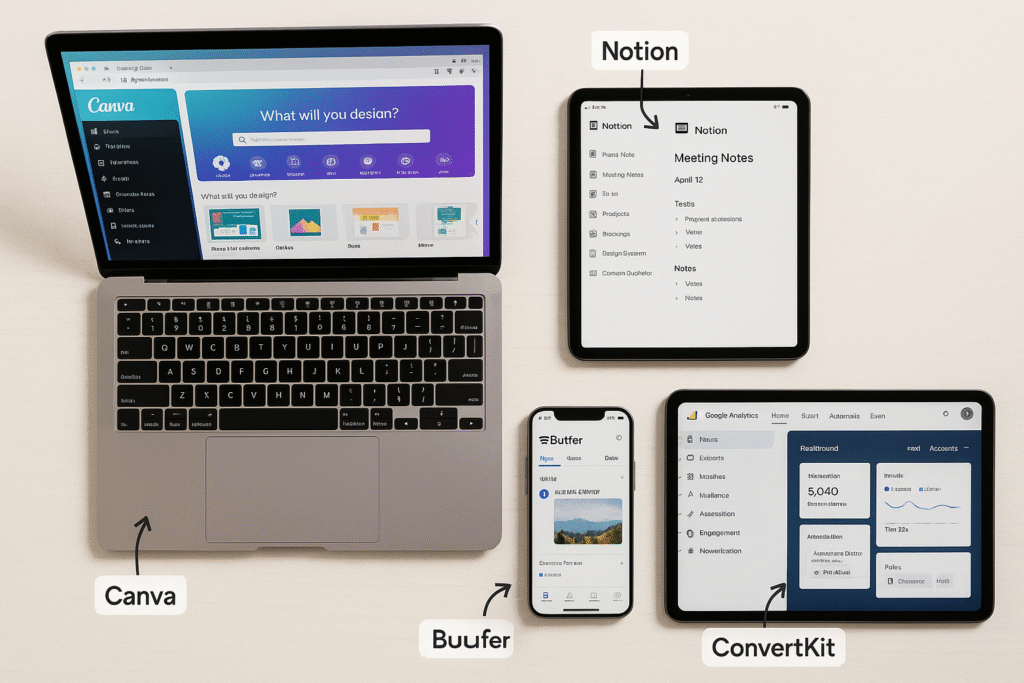
My Actual Stack
I don’t rely on one tool. I chain them together:
- Strategy & Planning: ChatGPT or Claude for deep content work
- Caption Drafting: Same tools with custom prompts
- Carousel Creation: AI for outline + Canva for design
- Scheduling: Later (it’s simple and works)
- Performance Review: Native analytics + AI to interpret data
The Real Workflow (Step-by-Step)
How I Actually Create Content Now
This isn’t theory. This is what my week looks like.
Monday: Planning (60 minutes)
- Review last week’s numbers
- Feed top posts to AI: “Why did these work?”
- AI suggests content themes for the week
- I approve themes and add my angle
Tuesday: Batching (3 hours)
- Draft all captions with AI (first pass)
- Create carousel outlines
- Edit everything for voice
- Design carousels in Canva using AI copy
Wednesday: Shoot Content
- Create primary content (Reels, photos, graphics)
- Use AI for alt text and descriptions
- Design remaining graphics
Thursday: Schedule Everything
- Load content into scheduler
- AI suggests optimal posting times (I double-check against my own data)
- Prep Stories and extra content
Friday: Engagement & Adjustment
- Respond to comments (AI drafts responses for common questions, I personalize them)
- Check mid-week performance
- Adjust weekend content if needed
Weekend: Light posting + real-time engagement
This system turned content creation from daily panic into something manageable. Not perfect—some weeks I skip steps or fall behind—but it exists now instead of just winging it.
Examples: AI-Generated Social Content (Then Fixed)
Instagram Captions (Before and After)
Example 1: Personal Brand Coach
What AI Gave Me: “Feeling stuck in your personal brand journey? You’re not alone. Building a recognizable brand takes time and consistency. Here are three tips to accelerate your growth: 1) Define your unique value proposition, 2) Show up consistently, 3) Engage authentically with your audience.”
What I Actually Posted: “Your personal brand feels stuck because you’re trying to be everything to everyone.
I did this for 18 months. Generic content. Vague messaging. Zero traction.
The shift? I got aggressively specific about who I help and what transformation I deliver.
Now my content attracts the right people and repels the wrong ones.
That’s not a bug. It’s a feature.
What’s one thing you could get more specific about in your brand?”
Example 2: Fitness Creator
What AI Gave Me: “Morning workouts are great for your health! Starting your day with exercise boosts energy, improves mood, and sets a positive tone. Here’s why you should try morning workouts: better consistency, increased metabolism, improved mental clarity.”
What I Actually Posted: “5:30 AM. Alarm screams. Every cell in your body says no.
You go anyway.
Not because you’re motivated. You’re half-asleep.
Because 6 months ago you decided morning workouts aren’t about feeling good. They’re about keeping promises to yourself.
Motivation gets you started.
Systems keep you going.
What’s one small system you could build this week?”
Example 3: Marketing Agency
What AI Gave Me: “Social media marketing trends are changing fast! Stay ahead by embracing AI tools, focusing on authentic storytelling, and prioritizing video content. These strategies will help you succeed in 2026.”
What I Actually Posted: “The marketing advice you’re following is outdated.
Not because it’s bad. Because it’s already saturated.
Everyone’s doing ‘authentic storytelling’ and ‘video-first content.’
The actual edge in 2026? Using AI to scale personalization. Not automation that feels robotic. Systems that let you maintain human connection at 10x volume.
We tested this with 12 clients last quarter. Engagement up 67% on average.
Thread: How we did it 👇”
See the pattern? AI gives structure and ideas. You add voice, specificity, emotion. Without that second step, it’s just… words.
Carousel Outlines (Slide-by-Slide)
Carousel 1: “How to Use AI for Instagram Captions Without Sounding Like a Robot”
- Slide 1: Title – “Your AI captions sound robotic. Here’s why.”
- Slide 2: “The mistake: You’re using generic prompts”
- Slide 3: “Instead: Load context first” (explain voice guidelines)
- Slide 4: “Step 1: Feed AI your best captions”
- Slide 5: “Step 2: Use this prompt template” (show structure)
- Slide 6: “Step 3: Edit ruthlessly” (remove these 3 AI tells)
- Slide 7: “Before edit” (show generic version)
- Slide 8: “After refinement” (show improved version)
- Slide 9: “Mistake I made: Posting AI output verbatim for 3 weeks. My engagement dropped 40%.”
- Slide 10: “AI is your brainstorming partner, not your writer” + CTA
Carousel 2: “AI Content Planning: My 30-Day System”
- Slide 1: “How I plan 30 days of content in 4 hours using AI”
- Slide 2: “The old way: 15+ hours, still inconsistent”
- Slide 3: “The shift: AI as strategic partner”
- Slide 4: “Week 1: AI analyzes what’s working”
- Slide 5: “Week 2: AI generates themes”
- Slide 6: “Week 3: AI drafts, you refine”
- Slide 7: “Week 4: Human polish (non-negotiable)”
- Slide 8: “Tools I use” (stack overview)
- Slide 9: “Lesson: AI saves time, you add soul”
- Slide 10: “Start here…” + resource CTA
Carousel 3: “I Tested 12 AI Tools. Here’s What Works.”
- Slide 1: “I tested 12 AI tools for social media. Most were overhyped. Here’s what’s worth it.”
- Slide 2: “For captions: ChatGPT with custom prompts (free, flexible)”
- Slide 3: “For carousels: Claude for structure + Canva for design”
- Slide 4: “For ideas: AI analyzing your own top posts”
- Slide 5: “For scheduling: Later finds optimal times”
- Slide 6: “For hashtags: AI research + manual curation”
- Slide 7: “What doesn’t work: Generic caption generators”
- Slide 8: “Why: They lack your voice and context”
- Slide 9: “Pattern: Best results = AI + human collaboration”
- Slide 10: “Your move: Pick one area to test this week”
What AI Can’t Do (And Shouldn’t)
The Limits Are Real
AI tools for social media are powerful. But they have hard limits you need to understand.
1. Your Lived Experience
AI can’t replace your stories. Your failures. The client success that made you cry. The behind-the-scenes moment that humanizes your brand.
When you rely too heavily on AI without adding personal input, people notice. The content feels detached. Forgettable. Generic.
I posted AI-heavy content for a month once. Engagement was fine. Comments dropped. DMs went to almost zero. People could tell something was off even if they couldn’t articulate it.
2. Cultural Sensitivity
AI can perpetuate biases from its training data. It misses cultural context sometimes. Uses inappropriate comparisons. Generates tone-deaf content.
This means you have to review AI content for potential problems. Every time. No shortcuts.
3. Real-Time Context
AI doesn’t know about breaking news unless you tell it. It doesn’t sense shifts in public sentiment. Posting AI-generated content without checking current context can lead to embarrassing mistimings.
I almost posted a cheerful carousel about “pushing through challenges” the same day a major industry layoff was announced. Caught it 10 minutes before it went live. That would’ve been bad.
4. Strategic Decisions
AI can execute your strategy. It shouldn’t define it.
Brand positioning, audience development, monetization, creative direction—these need human judgment informed by business goals and values.
For more insights on building effective content strategies with AI assistance, HubSpot’s content marketing research offers detailed frameworks on balancing automation with authentic brand voice.
Using AI Ethically
Should You Disclose AI Use?
Depends. For drafting and ideation, disclosure isn’t necessary (like you don’t disclose using grammar checkers). For AI-generated images, voices, or when content could mislead about authorship, transparency matters.
Quality Standards
AI should raise your floor, not lower your ceiling. Use it to stay consistent when you’re tired. Never publish content that doesn’t meet your standards just because AI made it quickly.
Data Privacy
Some platforms use your inputs to train models. If you’re handling client info or proprietary strategies, read terms of service. Seriously.
Attribution
AI-generated content based on others’ work without permission raises copyright questions. Always add original value and transformation. Don’t just repackage what AI scraped.
What’s Coming Next
The Next 12-24 Months
The AI social media workflow for creators is evolving fast. Based on current trajectories, here’s what’s coming:
1. Hyper-Personalization at Scale
AI will let you generate personalized content variations for different audience segments automatically. One core message adapted into different tones and formats for various follower groups. All while maintaining your voice.
2. Real-Time Optimization
AI systems will analyze performance mid-campaign and suggest adjustments: “Your carousel’s performing 40% better in slides 3-5. Consider expanding this angle in tomorrow’s Reel.”
3. Integrated Creative Suites
The lines between writing, design, and analytics tools will blur. Expect platforms handling everything from strategy to publication with AI assistance at each stage.
But with human approval gates. Hopefully.
4. Better Voice Learning
AI will get much better at learning your unique voice after analyzing your content. The training period will shrink from hours to minutes.
5. Ethical Guardrails
As misinformation concerns grow, platforms will likely implement stronger detection and labeling. Creators who’ve built authentic AI-assisted workflows will be better positioned than those running fully automated systems.
Preparing for What’s Next
The creators who thrive won’t be the ones who resist AI. Or the ones who blindly adopt it.
They’ll be the ones who thoughtfully integrate it while doubling down on irreplaceable human elements:
- Personal stories AI can’t fabricate
- Original perspectives from deep expertise
- Genuine relationships through consistent engagement
- Strategic thinking about audience needs
Every platform shift creates opportunities for early, thoughtful adopters. This is that shift.
Frequently Asked Questions
Can AI fully automate my social media?
Technically? Yes. Tools exist that generate and schedule content with minimal input.
Practically? This fails spectacularly. It produces generic, voiceless content that doesn’t build real audience connection.
The most successful AI social media workflow for creators treats AI as a collaborator. It handles structure and first drafts. You add personality, strategy, authenticity.
Think of AI as an assistant who does research and rough drafts. You’re still the creative director.
How do I keep my voice when using AI for Instagram captions?
Train the AI on your voice first. Feed it 10-15 of your best captions. Explicitly describe your voice (“conversational, short punchy sentences, occasionally sarcastic, avoids corporate jargon, asks questions”).
Then use structured prompts including these voice guidelines.
Always edit AI outputs to add personal stories, current references, emotional nuance.
AI should give you structure and save you from blank-page paralysis. The final polish is always yours.
I spent two months not doing this. My engagement showed me it mattered.
What’s the best way to use AI for long-term content consistency?
Build a quarterly system: AI analyzes your top content from last quarter. Identifies 5-7 core themes that resonate. Generates 90 content ideas across these themes.
You review and select 30-40 that align with your strategy. Create a calendar balancing educational, engagement, and promotional content.
Each week, use AI to draft scheduled content. Then batch-edit for voice and relevance.
This maintains consistency without creative burnout. The system exists even on weeks when you don’t feel creative.
Are there legal concerns with AI social content?
The legal landscape is evolving. Key considerations:
AI-generated images have copyright ambiguity (outputs generally aren’t copyrightable, but terms vary). Text is safer, especially after human editing.
Main risks: (1) accidentally reproducing copyrighted material AI was trained on, (2) misleading audiences with AI images/videos of fake events, (3) violating platform terms restricting AI usage.
Best practice: Add substantial human editing. Don’t use AI to impersonate or fabricate events. Stay informed on platform policy updates.
How do I measure if AI is improving my performance?
Track these before and after implementing AI:
- Time efficiency: Hours spent on content weekly
- Posting consistency: Posts per week/month
- Engagement rates: Likes, comments, shares, saves per post
- Audience growth: Follower count and growth rate
- Content quality: Subjective assessment of whether AI-assisted posts maintain your standards
Run A/B tests. Post some AI-assisted content (with your editing) alongside traditional content. Compare performance.
Most creators find AI improves consistency and reduces creation time 40-60%. Engagement stays stable or improves slightly due to increased posting frequency.
Final Thoughts
The explosion of AI for social media content tools isn’t slowing down. It’s accelerating.
But here’s what won’t change: People still want authentic connection. Real expertise. Content that feels made for them, not at them.
The creators winning aren’t choosing between human creativity and AI efficiency. They’re blending both strategically. Using AI for mechanical heavy lifting. Preserving mental energy for creative decisions that actually matter.
Your first step doesn’t need to be complicated.
Pick one area. Maybe AI for social media captions. Maybe AI carousel content creation. Maybe just using AI to brainstorm themes for next month.
Try the prompts from this guide. Refine what works. Throw out what doesn’t.
The goal isn’t becoming an AI expert. It’s becoming a creator who leverages AI to publish consistently, maintain quality, and actually enjoy the process again.
Here’s your challenge: This week, use AI to draft content for one post. Apply the refinement process. See how it feels. Notice the time you save. Watch how your audience responds.
The future of social media content isn’t AI or human.
It’s AI and human working together.
Now go make something worth stopping for.
Additional Resources Paragraph:
If you want to dive deeper into the data behind AI-powered content creation, the Content Marketing Institute’s research on AI adoption in marketing shows how rapidly creators and brands are integrating these tools into their workflows. For platform-specific insights, Later’s comprehensive analysis of Instagram carousel performance breaks down exactly why multi-slide posts consistently outperform static images—valuable context when you’re deciding which content formats to prioritize in your AI-assisted strategy.
Go to Next Lesson:
High Paying AI Skills for Digital Entrepreneurs: The 2026 Location-Independent Income Guide
Now that you’ve learned how creators use AI to streamline social media content—writing captions, building carousels, and planning posts—the next question becomes bigger:
How can AI skills actually turn into real income opportunities?
AI isn’t just helping creators produce content faster. It’s also creating entirely new types of digital work—from AI automation and chatbot development to prompt engineering and AI-powered business systems.
In the next guide, you’ll discover the most valuable AI skills digital entrepreneurs are using to earn globally, how these skills translate into real client work, and why businesses are willing to pay premium rates for people who know how to apply AI effectively.
👉 Read next: High Paying AI Skills for Digital Entrepreneurs: The 2026 Location-Independent Income Guide