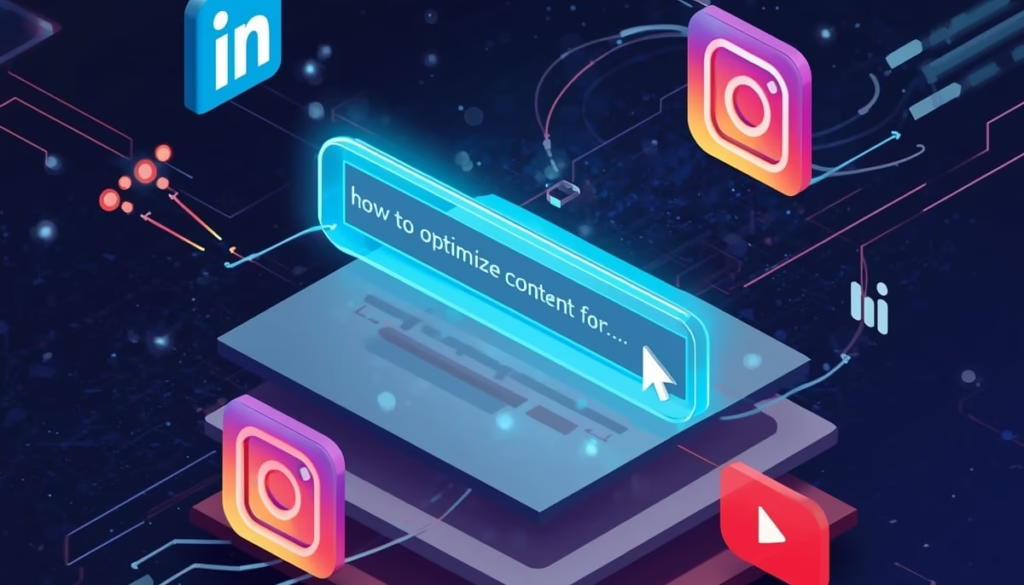
The Beginner’s Playbook to Social Search Optimization: How to Optimize Content for Discovery on LinkedIn, Instagram & YouTube
You spent hours crafting that perfect post. The caption was witty, the visual was stunning, and you hit publish feeling confident. Then… crickets.
Thank you for reading this post, don't forget to subscribe!
Sound familiar?
Here’s the hard truth: creating great content isn’t enough anymore. If nobody can find your content, it might as well not exist. And right now, there’s a massive shift happening in how people discover things online—and most creators are completely missing it.
Nearly 84% of social media marketers believe consumers will search for brands more often on social media before turning to a search engine. Think about that. Your audience isn’t just scrolling anymore—they’re searching. They’re typing questions into Instagram. They’re hunting for solutions on LinkedIn. They’re treating YouTube like the second-largest search engine it’s always been.
This isn’t a trend. It’s a fundamental shift in human behavior. And if you’re not optimizing your content for social search, you’re invisible to millions of potential customers, clients, or followers actively looking for exactly what you offer.
In this guide, I’m going to walk you through everything you need to know about social search optimization—the beginner-friendly way. No jargon overload. No overwhelming tech talk. Just practical, actionable strategies you can start using today to get your content discovered on LinkedIn, Instagram, and YouTube.
Table of Contents
- The Core Problem — Why Your Content Isn’t Being Discovered
- The Step-by-Step Strategy to Master Social Search Optimization
- Real Creator Success Story
- FAQ: Your Burning Questions Answered
- Your Next Steps
The Core Problem — Why Your Content Isn’t Being Discovered
Let me paint you a picture.
Sarah is a fitness coach who posts daily workout tips on Instagram. Her content is solid—genuinely helpful stuff. But her reach has plateaued at around 200 views per post, mostly from her existing followers. Meanwhile, her competitor with less impressive content is pulling 5,000+ views per video.
What’s the difference?
Her competitor understands social search optimization. Sarah doesn’t.
Here’s what’s happening: Social platforms have evolved from simple feed-based networks into sophisticated search engines. Social media is now a primary brand discovery tool, with TikTok, YouTube, and Instagram replacing traditional search engines. People are actively typing queries into these platforms—”how to lose weight without cardio,” “best protein powder for women,” “15-minute HIIT workout”—and the platform’s algorithm surfaces content that best matches those searches.
If your content isn’t optimized for these searches, the algorithm simply skips over you. It doesn’t matter how beautiful your posts are or how qualified you are—you’re not showing up in the search results where your ideal audience is actively looking.
Related topic: Generative Engine Optimization (GEO) 2025
The Algorithm Shift You Need to Understand
Traditional social media success was about gaming the timeline—post at the right time, get initial engagement, ride the wave. That’s changed.
Now, platforms prioritize searchability and long-term value. Your post from three months ago can still get discovered today if it’s optimized correctly. Instagram is analyzing keywords in your captions. YouTube is scanning your video descriptions and even what you say in your videos. LinkedIn is prioritizing content that matches professional search queries.
The biggest mistake? Treating social media like… well, social media. You need to start treating it like the search engine it’s become.
The Step-by-Step Strategy to Master Social Search Optimization
Alright, let’s get into the actual how. I’m breaking this down into five manageable steps that build on each other. You don’t need to master everything overnight—focus on implementing one step at a time.
Step 1 – Understand Each Platform’s Search Algorithm
Each platform has its own personality and rules. What works on LinkedIn will bomb on Instagram. What crushes on YouTube might flop on TikTok. Let’s break down the big three:
LinkedIn Algorithm: The Professional Network That Rewards Expertise
LinkedIn has become remarkably transparent about how its algorithm works. It uses a three-stage filtering process that happens every time you post:
The First Hour (Quality Filter): Your post gets automatically scanned for spam signals, engagement bait, and keyword relevance. Posts with external links often get deprioritized initially. If you pass this filter, you move to stage two.
Hours 1-2 (The Test): LinkedIn shows your post to a small sample of your network—maybe 1-2% of your connections. If they engage quickly (especially with meaningful comments, not just “great post!” nonsense), the algorithm interprets this as quality content worth spreading.
Extended Distribution (Days to Weeks): Here’s where it gets interesting. LinkedIn recently updated their algorithm to surface relevant older content. LinkedIn confirmed it’s now more likely to show you older posts (even 2–3 weeks old) if they’re more relevant to your professional interests. This means your well-optimized posts have serious staying power.
What this means for you: Focus on depth over frequency. One exceptional, keyword-rich post per week beats seven mediocre ones. Write in-depth about topics people actually search for.
Instagram Algorithm: The Visual Discovery Engine
Instagram has quietly become one of the most-used search platforms, especially among younger users. 46% of Gen Zs and 35% of millennials prefer social media over traditional search engines for information searches, with Instagram leading the pack.
Instagram’s algorithm considers several search-specific factors:
- Keywords in captions: Not just hashtags—actual words in your caption text
- Alt text: Those accessibility descriptions actually boost searchability
- Profile keywords: Your name field and bio are heavily indexed
- Engagement patterns: Saves signal “this is valuable reference content”
- Watch time on Reels: How much of your video people actually watch
Here’s something most people miss: Instagram scans the text overlays in your Reels. If you’re talking about “Instagram SEO tips for creators” in your video but never write those words anywhere, you’re missing easy optimization wins.
YouTube Algorithm: Still the King of Video Search
YouTube has always been a search-first platform, but the algorithm has gotten more sophisticated. It now considers:
- Video metadata (title, description, tags)
- Spoken content (YouTube transcribes everything you say)
- Viewer retention (what percentage of your video people watch)
- Session time (do viewers watch more videos after yours?)
- Click-through rate (do people actually click when they see your thumbnail?)
YouTube rewards videos that keep people on the platform longer. This means creating content that satisfies search intent is crucial—if someone searches “YouTube keyword optimization for beginners” and watches your entire 12-minute video, that’s a massive ranking signal.
Step 2 – Keyword Research for Social Platforms
Okay, this is where most beginners get nervous. “Keyword research” sounds technical and complicated. It’s not. I’m going to show you how to do this in about 15 minutes per platform.
The Free Method That Actually Works
Forget expensive tools for now. Start with what’s already in front of you:
The Search Bar Method:
- Go to your target platform (Instagram, LinkedIn, or YouTube)
- Start typing a seed keyword related to your niche
- Look at what auto-completes
These autocomplete suggestions are gold. They’re literally what real people are typing. For example, if you type “how to optimize LinkedIn” you might see:
- “how to optimize LinkedIn profile for job search”
- “how to optimize LinkedIn posts for search”
- “how to optimize LinkedIn headline”
Each of these is a potential content topic.
The “People Also Ask” Hack: When you search for something on YouTube, scroll down. YouTube shows you “related searches” and topics that commonly appear together. These are interconnected search queries you can target in a single piece of content.
The Competitor Spy Method: Find 3-5 competitors or creators in your space who are crushing it. Look at:
- What keywords appear in their top-performing posts?
- What questions do their audience ask in comments?
- What topics get the most engagement?
You’re not copying—you’re understanding what your shared audience is interested in.
Using Professional Tools (When You’re Ready)
While many traditional SEO keyword tools (like Google Keyword Planner, Ahrefs, SEMrush) are focused on web search, they can still provide valuable insights into high-volume terms related to your industry. According to marketing experts at Semrush, these tools help identify search trends that translate across platforms.
Here’s a simple workflow with Semrush (they have a free trial):
- Enter your seed keyword
- Filter by search volume (10,000-100,000 sweet spot)
- Export 20-30 relevant long-tail keywords
- Adapt these for conversational social search queries
Remember: People don’t search on social media like they search on Google. On Google: “best running shoes.” On Instagram: “comfortable sneakers for wide feet.”
Now that you know what people are searching for, let’s talk about where to put those keywords. This is where social search optimization gets tactical.
How to Optimize LinkedIn Posts for Search
LinkedIn gives you more room for long-form content than other platforms. Use it strategically:
The Opening Hook (First 2-3 Lines): These appear in the preview before someone clicks “see more.” Front-load with your primary keyword and a compelling statement.
Example: “Social search optimization is changing how professionals find consultants. Here’s how I landed 12 new clients in 3 months by treating LinkedIn like a search engine instead of a social network…”
The Body (Paragraphs 2-5): Break up text with line breaks. Use your secondary keywords naturally. Share actual insights, not fluff. LinkedIn’s algorithm can detect thin content.
Native Content Wins: Post LinkedIn articles with long-tail query titles: “How to Automate Client Reporting for Marketing Agencies” performs better than clickbait. Why? It matches actual LinkedIn search queries.
Strategic Hashtag Use: Use 3-5 relevant hashtags maximum. Mix broad industry tags with niche-specific ones. Avoid hashtag spam—LinkedIn’s algorithm penalizes it.
Instagram SEO Tips for Creators
Instagram requires a different approach. Here’s your optimization checklist:
Profile Optimization:
- Name field (30 characters): Include your niche keyword Example: “Jamie | Plant-Based Chef” (not just “Jamie Cook”)
- Username: Keep it searchable and consistent across platforms
- Bio: Lead with what you do and who you help. Use line breaks. Include location if relevant.
Caption Strategy: Your captions should work like mini blog posts now:
Line 1: Hook with keyword Lines 2-4: Provide value, tell a story Throughout: Weave in 2-3 related keywords naturally Last line: Question or clear CTA
Example caption: “Looking for Instagram SEO tips for creators? Here’s something most people miss: Instagram now indexes the alt text on your photos. That means every image is a chance to rank for relevant searches. Here’s exactly how I optimize mine… [continues]”
Alt Text Is Your Secret Weapon: Every post, every carousel, every Reel—add descriptive alt text. Not just for accessibility (though that matters), but because Instagram’s algorithm reads it.
Poor alt text: “photo of food” Optimized alt text: “high protein overnight oats recipe with mixed berries and almond butter”
Hashtags in 2025: Quality beats quantity. Use 3-8 highly relevant hashtags:
- 2-3 broad hashtags (100K-1M posts)
- 3-4 niche hashtags (10K-100K posts)
- 1-2 branded hashtags (your unique tags)
Research by testing: Which hashtags actually drive profile visits? Instagram Insights tells you.
YouTube Keyword Optimization for Beginners
YouTube is where keyword optimization has the biggest immediate impact. Here’s your complete setup:
Title Optimization: Your title should be at least 5 words and front-load your primary keyword. The formula: [Primary Keyword] + [Value Proposition] + [Differentiator]
Examples:
- “Social Search Optimization Guide: 7 Strategies That Actually Work in 2025”
- “How to Optimize LinkedIn Posts for Search (Step-by-Step Tutorial)”
- “Instagram SEO Tips for Creators: Get Discovered Without Paid Ads”
Description Mastery: The first 2-3 sentences appear in search results and suggestions. Make them count:
Line 1: Primary keyword + value statement Lines 2-3: Secondary keyword + what viewers will learn Paragraphs 2-4: Detailed breakdown with timestamps Links and CTAs: Below the fold (after “Show more”)
Tags Strategy: Use 5-8 tags:
- Your exact target keyword (first tag)
- Variations and related terms
- Broader category tags
- Your brand name
Thumbnail Psychology: Your thumbnail impacts click-through rate, which YouTube weighs heavily. Elements of winning thumbnails:
- High contrast colors
- Faces with expressive emotions
- Large, bold text (6-8 words max)
- Clear focal point
- Consistent branding
Step 4 – Boost Engagement Signals That Influence Search Ranking
Here’s something most content creators don’t realize: engagement isn’t just vanity metrics anymore. It’s a direct ranking signal for social search.
Think about it from the platform’s perspective. If someone searches for “beginner’s guide to social SEO” and watches your entire video, likes it, saves it for later, and shares it with a friend—that’s a massive signal that your content satisfies that search query. The platform will rank you higher next time.
The Engagement Metrics That Actually Matter
For LinkedIn:
- Comments (especially substantial ones, not “great post!”)
- Shares/reposts to someone’s own network
- Post saves (shows it’s reference-worthy)
- Profile visits from the post
- Time spent reading (reading rate)
For Instagram:
- Saves (the most important signal)
- Shares via DM
- Comments with meaningful conversation
- Reel completion rate
- Profile visits from content
For YouTube:
- Average view duration (percentage watched)
- Click-through rate from search/browse
- Likes and comments
- Watch time (total minutes)
- Playlist additions
How to Naturally Boost These Signals
Don’t beg for engagement. Design for it.
Create Save-Worthy Content: People save content they want to reference later. Make lists, frameworks, templates, step-by-step guides. This guide you’re reading? Designed to be saved.
End with Genuine Questions: Not “What do you think?” (lazy). Ask specific questions that spark actual discussion.
- “Which platform are you optimizing first—LinkedIn, Instagram, or YouTube?”
- “What’s your biggest challenge with social search right now?”
Respond Fast (First Hour Matters): Brands that move fast and adapt to new trends are seeing major payoffs. This applies to engagement too. Reply to comments within the first 60 minutes of posting. It signals to the algorithm that your content sparks conversation.
The “Post Reactivation” Strategy: 24 hours after posting on LinkedIn, add a meaningful comment to your own post with additional insights. This pushes it back into some feeds and signals ongoing relevance.
Step 5 – Use Analytics Tools to Track Visibility Growth
You can’t improve what you don’t measure. But tracking the right metrics is crucial—many creators focus on the wrong numbers.
What to Track for Social Search Success
Forget follower count for a moment. Track these instead:
Discovery Metrics:
- Reach from non-followers (shows search/algorithmic discovery)
- Profile visits from search
- Impression sources (search vs. home feed vs. explore)
Content Performance:
- Which posts get saved most? (high-value content indicator)
- Which keywords drive the most traffic?
- What topics generate sustained engagement?
Conversion Indicators:
- Link clicks (if you’re driving traffic off-platform)
- DM inquiries (often from search discovery)
- Follower quality (do new followers actually engage?)
Best Tools for Social Search Optimization
Free Native Analytics: Start here. Every platform offers built-in analytics:
- LinkedIn Analytics (shows post impressions, demographics, engagement)
- Instagram Insights (reach, interactions, discovery sources)
- YouTube Studio (traffic sources, watch time, audience retention)
Professional Tools Worth the Investment:
According to research from digital marketing experts, tools like Semrush can help with keyword research across social platforms by identifying high-volume phrases people actually search for. Their social media tracker also lets you monitor competitor activity and identify content gaps.
For multi-platform management:
- Later: Visual planning for Instagram and LinkedIn
- Metricool: Cross-platform analytics dashboard
- VidIQ or TubeBuddy: YouTube-specific keyword and tag optimization
My Simple Weekly Tracking System:
- Monday: Review last week’s top 3 performing posts—what did they have in common?
- Wednesday: Check which keywords are driving the most profile visits
- Friday: Analyze which content formats (carousels, videos, text) performed best
Adjust your content plan based on what the data tells you, not what you feel should work.
Real Creator Success Story: How Marcus 3X’d His Consulting Business
Marcus runs a LinkedIn-based consulting business helping B2B SaaS companies with their content strategy. For two years, he posted consistently—3-4 times per week—with decent but plateau-ed results. Around 500-1,000 views per post. A handful of inquiries per month.
Then he implemented social search optimization.
Here’s exactly what he did:
Month 1: Keyword Research & Profile Optimization
- Used LinkedIn’s search bar to identify the exact phrases his ideal clients searched
- Discovered “SaaS content marketing strategy” and “B2B content funnel” had high search volume
- Updated his LinkedIn headline to: “SaaS Content Strategist | I help B2B tech companies turn blogs into $500K+ revenue engines”
- Added those keywords naturally throughout his About section
Month 2: Content Transformation Instead of generic posts like “Content marketing is changing,” he created searchable content:
- “The Complete B2B SaaS Content Marketing Funnel (With Examples)”
- “How to Build a Content Strategy That Actually Generates SaaS Leads”
- “7 Content Marketing Mistakes Killing Your B2B Growth”
Each post was structured like a mini-guide, with clear headings, numbered lists, and actionable advice. He wrote for search, not just the feed.
Month 3: Consistency & Optimization
- Published LinkedIn articles with SEO-friendly titles
- Responded to every comment within 30 minutes
- Added 3-5 niche hashtags (#SaaSMarketing #B2BContent #ContentStrategy)
- Shared real case studies with data
The Results After 90 Days:
- Average post reach: 5,000-12,000 (up from 500-1,000)
- Profile visits: 300-500 per week (up from 50-100)
- Inbound leads: 12 qualified discovery calls booked
- Three new clients worth $47,000 in contracts
The key insight? Marketers are shifting from vanity metrics to relationship-building, recognizing that engagement and trust drive long-term success. Marcus’s content wasn’t necessarily “better” after optimization—it was just findable.
People who needed his services were actively searching LinkedIn for solutions, and suddenly, his optimized content appeared in those search results. That’s the power of social search optimization
FAQ: Your Burning Questions Answered
Q: How does social search work on LinkedIn?
LinkedIn’s search function scans multiple elements of your profile and content: your headline, about section, experience descriptions, and the text in your posts. When someone searches “marketing consultant Chicago,” LinkedIn looks for those exact keywords and variations throughout profiles and content.
The algorithm prioritizes recent, relevant content from people with established expertise in that topic. If you consistently post about marketing and have “marketing consultant” in your profile, you’re more likely to appear in search results than someone who only mentioned it once.
Think of your LinkedIn profile as a living, breathing SEO asset that gets stronger every time you post relevant, keyword-rich content.
Q: What keywords should I use on YouTube descriptions?
Focus on conversational, long-tail keywords that match exactly how people search. Instead of “fitness,” use “15-minute home workout for beginners” or “low-impact cardio for bad knees.”
Place your primary keyword in the first sentence of your description. Then, throughout the next 200-300 words, naturally incorporate:
- 2-3 variations of your main keyword
- Related search terms
- Specific pain points or benefits
- Timestamps for different sections
Also, don’t ignore what you say in the video. YouTube transcribes everything and uses that for ranking. If your video is about “Instagram SEO tips for creators,” say that exact phrase multiple times during the video.
Q: How do Instagram captions affect discovery?
Instagram indexes every word in your captions now, not just hashtags. When someone searches “vegan meal prep ideas,” Instagram scans captions for those exact words and related phrases.
This means your captions should be descriptive and keyword-rich while still sounding natural. Instead of “Check out my latest creation!” write “Looking for easy vegan meal prep ideas? These quinoa Buddha bowls are packed with protein and take 20 minutes to make…”
Don’t keyword stuff—write like you’re explaining to a friend, but be specific and detailed. Instagram’s algorithm is sophisticated enough to understand context and synonyms.
Q: How long does it take to see results from social search optimization?
Honest answer: It varies. But here’s a realistic timeline:
Weeks 1-2: Profile updates take effect immediately. You might see a small bump in profile visits from search within days.
Weeks 3-4: Your optimized content starts getting indexed. You’ll notice some posts getting more reach from non-followers.
Months 2-3: Compounding effects kick in. Your older optimized content continues getting discovered. This is when most people see significant growth.
Months 4-6: If you’re consistent, you’ll have a library of searchable content working 24/7 to bring new people to your profile.
The key is consistency. One optimized post won’t change much. Twenty optimized posts create a discovery engine.
Q: Can I optimize old posts, or is it too late?
You can’t edit old Instagram posts or YouTube videos’ main content, but you CAN:
- Update YouTube video descriptions and tags anytime
- Edit LinkedIn posts (use this strategically)
- Add better alt text to old Instagram posts
- Create highlight reels from old content with new, optimized captions
Plus, here’s the good news: LinkedIn’s algorithm now resurfaces relevant older content, even posts 2-3 weeks old. This means your well-optimized posts have a much longer discovery window than they used to.
For your best-performing old content, consider creating an updated “2.0 version” with proper optimization. Reference the original and improve on it.
Q: Do I need to optimize for every platform, or should I focus on one?
Start with one. Master it. Then expand.
Trying to optimize for LinkedIn, Instagram, and YouTube simultaneously while learning the ropes is a recipe for burnout and mediocre results on all three.
Choose based on:
- Where your target audience searches most
- What content format you enjoy creating
- Where you’re already seeing some traction
For B2B professionals → Start with LinkedIn For visual creators/lifestyle brands → Start with Instagram For educators/tutorial content → Start with YouTube
Once you’re consistently getting results on one platform (give it 60-90 days), expand to a second using similar principles.
Your Next Steps: Start Optimizing Today
Look, I get it. This probably feels like a lot.
You’re already trying to create great content, engage with your audience, and run your actual business or creative work. Now I’m telling you to add “SEO expert” to your resume?
But here’s the reality: Social search optimization isn’t about doing more work. It’s about doing your existing work smarter.
You’re already writing captions. Why not spend 3 extra minutes making them searchable? You’re already posting videos. Why not add strategic keywords to your title and description? You’re already updating your profile. Why not optimize it while you’re there?
These small tweaks compound. In six months, you’ll have a library of content that continues bringing new people to your profile while you sleep. Engaged brands see higher loyalty and reach, emphasizing the need for dedicated community management—and it all starts with making your content discoverable.
Your Week-One Action Plan
Don’t try to do everything at once. Start here:
Day 1-2: Audit & Research
- Pick ONE platform to focus on first
- Spend 30 minutes doing keyword research using the search bar method
- Write down 10-15 keywords your ideal audience searches for
Day 3: Profile Optimization
- Update your profile name/headline with primary keywords
- Rewrite your bio to be more searchable and specific
- Add location if relevant for local discovery
Day 4-5: Create Your First Optimized Post
- Choose one keyword from your research
- Create content that genuinely answers that search query
- Optimize title/caption, description, and hashtags
- Track the performance over the next week
Day 6-7: Study & Iterate
- Check your analytics
- Which existing posts get the most reach from non-followers?
- What keywords appear in those posts?
- Use these insights for your next posts
That’s it. Seven days. One platform. Manageable, right?
The Mindset Shift That Changes Everything
Stop thinking about social media as a place to broadcast. Start thinking about it as a place people search.
Every time you create content, ask yourself:
- What would someone type into the search bar to find this?
- Does my caption/title/description include those exact words?
- Would this content satisfy someone searching for that topic?
If the answer to any of those questions is no, you’re creating content that only your existing followers might see in their feed. And with algorithms showing people less and less of their feed in chronological order, that’s a shrinking audience.
But when you optimize for search, your content works for you 24/7/365. Someone searching for social discovery trends 2025 could stumble on your post from three months ago and become a loyal follower, customer, or client.
That’s the difference between creating content and creating discoverable content.
What’s Your Move?
You’ve got the knowledge now. You understand how social search optimization works. You have a clear action plan.
The only question left: Which platform are you going to conquer first?
Drop a comment below and tell me which platform you’re focusing on and what your first keyword target is going to be. I read every comment and often share additional tips based on what people are working on.
And if you found this guide helpful, save it. Bookmark it. Share it with a fellow creator who’s wondering why their amazing content isn’t getting discovered.
Because here’s the truth: The creators who adapt to this social search shift now will dominate their niches in the next 12-24 months. The ones who ignore it will wonder why their reach keeps declining while their “less talented” competitors seem to blow up.
Don’t be the second group.
Start optimizing today. Your future audience is already searching for you—make sure they can actually find you.
If you’d like to explore this topic a bit more, here are some resources I personally recommend. Google’s own guide on how search works is a great place to start if you want to understand the basics behind content visibility. For creators who focus on professional platforms, the LinkedIn Marketing Blog regularly shares insights on optimizing posts and building reach through smart SEO. If Instagram is your main stage, you’ll love the tips from the Instagram Creators page — they break down how keyword search and algorithm shifts impact discovery. And for video-first creators, the YouTube Creator Academy has step-by-step lessons to help your videos rank higher and reach the right audience.
Ready to level up your content game? Start with just ONE optimized post this week and track the difference. The best time to start social search optimization was six months ago. The second-best time is right now.