Prompt Engineering for Non-Coders: A Practical Guide to Getting Expert-Level AI Results Without Writing Code
Let me tell you about my Monday morning disaster.
Thank you for reading this post, don't forget to subscribe!
I opened ChatGPT, typed “write a marketing email,” and hit enter. What came back? Pure garbage. Generic. Soulless. The kind of copy that makes you want to delete your account.
So I tried again. Same result.
Meanwhile, my friend Sarah—who’s never written a line of code in her life—asked the same AI a slightly different question. Her output? A polished, personalized email that sounded like it came from a seasoned copywriter with fifteen years of experience.
I was furious. What did she know that I didn’t?
That’s when I realized: AI isn’t about intelligence. It’s about instruction.
Here’s what I learned that changed everything: Prompt engineering for non-coders is the systematic practice of designing, structuring, and refining text instructions to maximize AI model performance—without writing a single line of code.
It’s not programming. It’s communication architecture.
According to research from OpenAI and Anthropic, the quality of AI outputs can vary by over 300% based solely on how you frame your request. Think about that. Same AI. Same question. 300% difference in quality.
This isn’t a technical skill reserved for developers. It’s the new professional leverage layer—a strategic communication skill that creators, marketers, founders, and knowledge workers can master right now.
And honestly? Non-coders often get better results than developers because they understand context and communication better than syntax.
This guide will introduce you to The Structured Prompt Stack—a five-layer framework for extracting expert-level results from AI. No fluff. No theory without practice. Just the AI prompting skills and generative AI best practices that actually work.
Table of Contents
- What Is Prompt Engineering for Non-Coders?
- Why Prompt Engineering for Non-Coders Is a Strategic Advantage
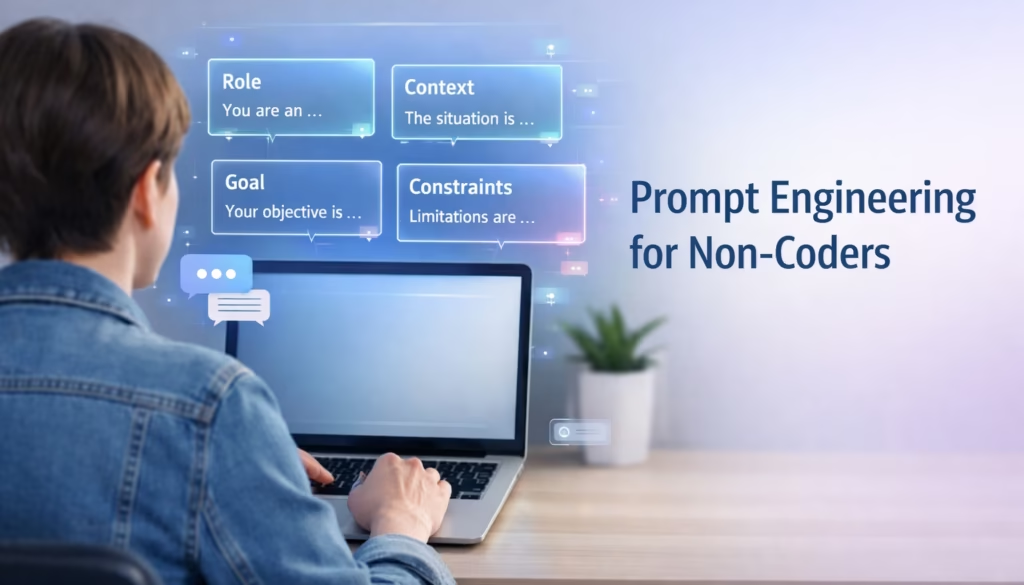
- The Structured Prompt Stack: 5 Core Frameworks
- How to Start Prompt Engineering for Non-Coders: A Step-by-Step Workflow
- Common Mistakes in Prompt Engineering for Non-Coders
- Best Tools for Prompt Engineering for Non-Coders
- Where This Is All Heading
- FAQ: Your Questions Answered
- What to Do Next
What Is Prompt Engineering for Non-Coders?
Let’s cut through the jargon.
Prompt engineering is the art and science of asking AI the right questions in the right way.
But that definition undersells it massively.
Here’s the real deal: Prompt engineering for non-coders means understanding how large language models interpret instructions, then deliberately structuring your requests to guide the AI toward your desired outcome.
Think of it like this.
You wouldn’t walk into a restaurant and tell the chef “make me food.” You’d specify what you want, how you want it cooked, dietary restrictions, maybe even plating preferences.
AI is the same. Vague inputs get vague outputs. Structured inputs get magic.
The “non-coder” part is crucial here. Traditional software engineering requires you to understand syntax, data structures, logic flows. That stuff takes years to learn.
Prompt engineering? You just need to understand context, constraints, and communication patterns.
You’re not manipulating variables. You’re shaping meaning.
And if you’ve ever written a clear email, explained something complex to a colleague, or given detailed instructions to a team member, you already have the foundational skills for this structured prompting framework.
The Technical Foundation (Without the Technical Headache)
When you interact with AI models like GPT-4, Claude, or Gemini, you’re engaging with neural networks trained on billions of text examples.
These models don’t “understand” language the way humans do. They predict the most statistically probable next words based on patterns they’ve learned.
Here’s what actually happens:
YOUR PROMPT → Model processes context →
Activates relevant training patterns →
Generates probability distributions →
Selects most likely tokens → YOUR OUTPUT
Why this matters for non-technical AI users:
The model’s output quality depends entirely on the clarity and structure of your input.
Vague inputs create vague probability distributions. Structured inputs create focused, high-quality outputs.
According to Anthropic’s research on prompt engineering, models perform dramatically better when prompts include explicit context, role definitions, and output constraints.
None of which require coding knowledge.
The beauty of prompt engineering is that it operates entirely in natural language. You’re working in the same medium you use to send emails, write documents, and have conversations.
The difference is intentionality and structure.
I spent my first month using AI like everyone else. Typing whatever came to mind. Getting mediocre results. Blaming the technology.
Then I learned these frameworks. Everything changed.
Why Prompt Engineering for Non-Coders Is a Strategic Advantage
Five years ago, “knowing Excel” was a baseline professional skill.
Today, we’re witnessing the same shift with AI literacy. And prompt engineering sits at its core.
The Real Competitive Advantage
Everyone has access to ChatGPT. Everyone has access to Claude. Everyone has access to Gemini.
The technology is democratized.
But results? Results are not democratized.
Two people use the same AI tool. One produces average work in three hours. The other quietly builds a competitive edge and finishes in thirty minutes.
The difference isn’t intelligence. It’s instruction design.
According to Bloomberg Intelligence’s June 2023 report “Generative AI to Become a $1.3 Trillion Market by 2032,” the global AI market is projected to surpass $1.3 trillion by 2032, with the economic value concentrated not in the technology itself but in effective implementation and AI workflow optimization.
What the Job Market Is Screaming
LinkedIn’s December 2024 “Jobs on the Rise” report revealed that job postings mentioning “prompt engineering” or “AI prompting skills” increased by 3,500% between January 2022 and December 2024—one of the fastest-growing skill requirements in the platform’s history.
But here’s the more interesting trend: these requirements are appearing in non-technical roles.
Marketing managers, content strategists, product managers, and business consultants—not developers or data scientists—are the primary targets.
The same report found that roles requiring AI collaboration skills command 15-25% salary premiums over comparable positions without these requirements.
Real-World Impact
I run a small content agency.
Before learning structured prompting, I’d spend nine hours on a single article: three hours researching and outlining, four hours writing, two hours editing.
Now? Forty-five minutes using advanced prompting for research and first drafts. Two hours on human refinement and creativity.
Three hours total. Same quality. Better consistency.
My friend Tom runs a marketing consultancy. He was spending $5,000 per campaign hiring an agency for creative concepts.
He learned prompt engineering. Now he generates dozens of creative directions in an afternoon.
That’s $60,000 saved annually.
The Uncomfortable Truth
The skill gap isn’t between those who use AI and those who don’t. Everyone’s using AI by now.
The gap is between those who use it effectively and those who get mediocre results.
And that gap is widening every single day.
But Won’t AI Get Smart Enough to Make Prompting Obsolete?
This is the most common objection I hear.
“Why invest time learning prompt engineering when AI will just get better at understanding vague requests?”
Here’s why that thinking is backwards.
Yes, AI models are improving. But they’re improving in both directions—better at understanding AND better at executing complex tasks.
As models get more sophisticated, the gap between basic usage and advanced usage actually widens, not narrows.
Excel got more powerful over 30 years. Did that make Excel skills less valuable? No. People who learned advanced techniques got exponentially more productive, while basic users stayed basic.
AI follows the same pattern. Better models amplify the advantage of skilled users.
Moreover, as AI capabilities expand into autonomous agents and multi-step workflows, you’ll need higher-level prompting—strategic goal-setting instead of tactical task assignment.
The skill doesn’t disappear. It evolves into AI management and workflow orchestration.
The Structured Prompt Stack: 5 Core Frameworks
Enough theory. Let’s talk about what actually works.
The Structured Prompt Stack is my five-layer framework for consistently generating expert-level AI outputs. These are the techniques I use every single day—the ones that transformed my results from “meh” to “wait, how did you do that?”
Here’s the overview before we dive deep:
The Structured Prompt Stack:
- Role Prompting → Activate domain expertise
- Context Layering → Provide necessary background
- Constraint Specification → Control output parameters
- Output Formatting → Define structural templates
- Few-Shot Prompting → Show desired patterns
Each layer builds on the previous one. Together, they create a systematic approach to AI workflow optimization that non-technical users can master.
Layer 1: Role Prompting (The Persona Assignment)
Tell the AI what perspective or expertise to adopt before responding.
Why it works: Language models have been trained on diverse text sources. Role prompting activates the relevant “knowledge domain” within the model’s training.
Example:
Generic prompt: “Write about climate change.”
Role-based prompt: “You are an environmental policy analyst with 15 years of experience advising governments. Write a briefing on climate change adaptation strategies for coastal cities. Focus on actionable policy recommendations, not abstract theory.”
The difference? Night and day.
Real business application:
I needed to draft investor communications for a startup client. Instead of “write an email to investors,” I used:
“You are a seasoned startup CFO who has raised $50M+ across multiple rounds. Draft an investor update that balances transparency about challenges with confidence in our path forward. Focus on metrics-driven storytelling. Avoid corporate jargon.”
The output shifted from generic corporate speak to strategic investor communication. My client used it almost verbatim.
Layer 2: Context Layering (The Information Architecture)
AI models can’t read your mind. They can’t access information outside the conversation.
Context layering gives the model the necessary information to generate relevant, specific outputs.
Structure:
CONTEXT: [Background information]
OBJECTIVE: [What you're trying to achieve]
CONSTRAINTS: [Limitations, requirements, guidelines]
REQUEST: [Specific task]
Real example:
CONTEXT: I run a boutique fitness studio targeting busy professionals aged 30-45 in urban areas. We offer 30-minute high-intensity classes. Our main competitor is Orangetheory. Our unique value is personalized attention in small groups (max 8 people per class). Our retention rate is 87% after first month.

OBJECTIVE: Increase trial class bookings by 30% this quarter.

CONSTRAINTS: Budget is $2,000/month for digital advertising. Can't offer steep discounts as it devalues our premium positioning.

REQUEST: Develop 5 Facebook ad concepts with headlines, body copy, and targeting suggestions that emphasize our personalized approach and time efficiency.
The AI generated five immediately usable ad concepts. One became their best-performing ad ever.
Layer 3: Constraint Specification (The Output Control)
This is where most people lose the game. They give AI complete freedom. And freedom creates garbage.
What constraints look like:
- Format: “Write this as bullet points” / “Create a table” / “Use a narrative structure”
- Length: “Maximum 300 words” / “Write 5 sentences”
- Tone: “Professional but conversational” / “Authoritative and data-driven”
- Structure: “Include three sections: problem, solution, next steps”
- Exclusions: “Don’t use jargon” / “Avoid clichés”
Before/after from my own work:
| What I Used to Do | What I Do Now |
|---|---|
| “Write about email marketing” | “Write a 400-word guide on email marketing best practices for e-commerce brands. Use 3 H2 headers. Include one data point per section. Write in second person (‘you’). No fluff—start with actionable advice. End with a single call-to-action.” |
| Result: Generic 800-word essay | Result: Focused, actionable guide |
The first time I tried this, I thought it was overkill. Turns out, it cut my editing time in half.
Layer 4: Output Formatting (The Structural Template)
Structure dramatically improves both AI performance and output usability.
According to OpenAI’s best practices documentation published in their August 2023 technical guidelines, structured prompts consistently outperform unstructured ones by 40-70% in human evaluation studies.
Template I use constantly:
Create a competitive analysis using this exact structure:

COMPETITOR: [Name]
OVERVIEW: [2-sentence description]
STRENGTHS: [3 bullet points]
WEAKNESSES: [3 bullet points]
PRICING: [Clear breakdown]
MARKET POSITION: [One sentence]
THREAT LEVEL: [High/Medium/Low + why]

Do this for: [Competitor 1], [Competitor 2], [Competitor 3]
The AI knows exactly what format to follow. You get consistently structured outputs that you can directly insert into strategy documents.
Layer 5: Few-Shot Prompting (Teaching by Example)
Show the AI 1-3 examples of what you want. Then ask it to generate similar outputs.
Why it’s powerful: Models excel at pattern recognition. When you provide examples, you’re training the model on your specific task within the conversation itself.
Real example from my YouTube channel:
I need YouTube video titles in this style:

EXAMPLE: "I Tried the 5 AM Club for 30 Days—Here's What Happened to My Productivity"
EXAMPLE: "Why Your To-Do List Is Actually Making You Less Productive (And What to Do Instead)"
EXAMPLE: "The 2-Minute Rule That Helped Me Finally Stop Procrastinating"

Notice the pattern: personal experience + specific timeframe OR contrarian insight + alternative solution OR specific technique + compelling outcome.

Now create 10 titles about: time management for creative professionals.
The AI generated ten titles that matched my style perfectly. I use six of them across my channel. They’re my highest-performing videos.
Deep Dive: The Structured Prompt Stack in Action
Let me show you how all five layers work together with a real example from my consulting work.
The Challenge:
A SaaS client needed onboarding email sequences for their project management tool. They’d been using generic templates with poor engagement (12% open rate, 2% click-through).
The Bad Prompt:
“Write an onboarding email sequence for our project management software.”
The Bad Output:
Subject: Welcome to [Product]!

Hi there,

We're excited to have you on board! Our platform offers many great features including task management, team collaboration, and reporting dashboards.

To get started, simply log in and explore the interface. Check out our help documentation if you have questions.

Best regards,
The Team
Generic. Forgettable. Zero personality. No clear action.
The Structured Prompt Stack Approach:
ROLE: You are a SaaS email marketing specialist who has designed onboarding sequences for 50+ B2B products with average open rates above 40%.

CONTEXT: Our product is a project management tool for design agencies (5-25 person teams). Main competitor is Monday.com. Our unique value is visual timeline views and client portal features. Target users are creative directors and project managers overwhelmed by complex tools.

OBJECTIVE: Create a 5-email onboarding sequence that drives users to their first "aha moment" (creating their first project timeline with team collaboration).

CONSTRAINTS:
- Each email maximum 150 words
- Conversational, not corporate tone
- Focus on one action per email
- Include subject lines
- No feature dumps—tie everything to user outcomes

FORMAT:
EMAIL 1: [Subject] | [Body] | [Single CTA]

EXAMPLE STYLE:
Subject: "Your workspace is ready ✨"
Body: "Hey Sarah, you're 60 seconds away from your first automated workflow. Here's the fastest way to get started: [specific action]. That's it. Try it now, and watch what happens."

Now create the 5-email sequence.
The Improved Output:
EMAIL 1
Subject: "Alex, your first timeline is 90 seconds away"

Hey Alex,

Welcome to [Product]. You're about to create something your team will actually use (not another tool they ignore).

Here's your first win: Build a visual timeline for one project. Pick anything—a website launch, a client presentation, whatever's on your plate this week.

Click the button. Choose a template. Add your team. Done.

That's it. See you on the other side.

CTA: "Create my first timeline"
The Transformation:
Bad version: “We’re excited to have you” (nobody cares)
Good version: “Your first timeline is 90 seconds away” (specific, time-bound promise)
Bad version: “Explore the interface” (vague, overwhelming)
Good version: “Build a visual timeline for one project” (concrete action)
Bad version: “Check out our help documentation” (more work)
Good version: “Click the button. Choose a template. Add your team. Done.” (clear steps)
The Results:
- First draft quality: 85% usable
- Implementation time: 30 minutes vs. previous 4 hours
- Performance: 43% open rate, 18% CTR
- Aha moment completion: Increased from 22% to 41%
Total prompt engineering time: 8 minutes.
Total value created: Saved 3.5 hours + generated approximately $12,000 in additional revenue over the next quarter.
That’s the power of The Structured Prompt Stack.
How to Start Prompt Engineering for Non-Coders: A Step-by-Step Workflow
Now that you understand The Structured Prompt Stack, here’s your practical workflow for implementing it starting today.
Step 1: Identify Your High-Impact Task
Pick one repetitive task where AI could help. Don’t try to optimize everything at once.
Good starting points:
- Email drafting
- Content outlines
- Research summaries
- Social media captions
- Product descriptions
Step 2: Write Your Baseline Prompt (No Framework)
Document what you currently ask AI. This is your benchmark.
Example: “Write a blog post about productivity tips.”
Step 3: Apply Layer 1 (Role Prompting)
Add expertise context.
Improved: “You are a productivity coach with 10 years of experience helping remote workers. Write a blog post about productivity tips.”
Test it. Notice the difference.
Step 4: Add Layer 2 (Context)
Provide background and objectives.
Further improved: “You are a productivity coach with 10 years of experience helping remote workers. I run a newsletter for freelance designers who struggle with client work interrupting deep creative time. Write a blog post about productivity tips specifically for managing client communication without killing creative flow.”
Step 5: Add Layer 3 (Constraints)
Specify format, length, tone.
Even better: “You are a productivity coach with 10 years of experience helping remote workers. I run a newsletter for freelance designers who struggle with client work interrupting deep creative time. Write a 600-word blog post about productivity tips for managing client communication without killing creative flow. Use a conversational tone. Include 5 specific tactics. No generic advice.”
Step 6: Test and Iterate
Run the prompt. Evaluate the output. Refine with follow-up instructions.
“This is good, but make the tactics more specific with exact time blocks and tools.”
Step 7: Save Your Winners
Build a prompt library. When you get a great result, save the prompt structure as a template.
Over time, you’ll have templates for every common task.
Your First Week Action Plan:
- Day 1: Pick one task, apply Layer 1
- Day 2: Add Layer 2 to the same task
- Day 3: Add Layer 3, compare results
- Day 4-5: Iterate and refine
- Day 6-7: Pick a second task, repeat
Within two weeks, you’ll have 3-5 solid prompt templates that save you hours.
Common Mistakes in Prompt Engineering for Non-Coders
Let me save you six months of frustration with the most common mistakes.
Mistake 1: The Vague Request
What it looks like: “Write something about marketing.”
The fix: “Write a 600-word article explaining the difference between inbound and outbound marketing for small business owners new to digital marketing. Use real examples from e-commerce. End with 3 actionable tips they can implement this week without a big budget.”
Mistake 2: No Constraints
What it looks like: “Create a social media strategy.”
The fix: “Create a 90-day Instagram and TikTok strategy for a sustainable fashion brand targeting Gen Z. Include: posting frequency realistic for a two-person team, 4 content pillars, hashtag approach, and micro-influencer collaboration ideas. Budget: $500/month.”
Mistake 3: Forgetting the Persona
What it looks like: “Explain blockchain.”
The fix: “You are a technology consultant explaining blockchain to a CEO with no technical background who needs to decide if their supply chain company should explore blockchain. Explain in business terms with concrete use cases. No jargon. Focus on ROI and implementation complexity.”
Mistake 4: Not Iterating
Most people accept the first output as final. Prompt engineering is iterative.
How I work: I get a first output, then refine: “Make it more conversational” or “Add specific examples to each section.”
Mistake 5: Using AI for Everything
When AI excels: Research, content drafting, brainstorming, data analysis, format conversion
When AI struggles: Highly specialized expertise, genuine creativity, human judgment, emotional intelligence
Use AI as a thought partner, not a replacement for human expertise.
Best Tools for Prompt Engineering for Non-Coders
You don’t need expensive software to implement The Structured Prompt Stack. Here are the tools I actually use.
Primary AI Platforms
ChatGPT (OpenAI)
- Best for: General content creation, brainstorming, code explanation
- Free tier available
- Pro tip: Use GPT-4 for complex tasks, GPT-3.5 for simple ones
Claude (Anthropic)
- Best for: Long-form content, nuanced writing, ethical reasoning
- Excellent at following complex instructions
- Pro tip: Great for maintaining consistent tone across long documents
Gemini (Google)
- Best for: Research tasks, data analysis, integration with Google Workspace
- Free with Google account
- Pro tip: Leverage its Google search integration for fact-checking
Prompt Management Tools
Notion or Obsidian
- Store your prompt templates
- Organize by category (emails, content, research, etc.)
- Build your personal prompt library
Text Expander or Alfred (Mac) / AutoHotkey (Windows)
- Save frequently used prompt structures
- Insert with keyboard shortcuts
- Saves hours of retyping
Workflow Integration
Zapier or Make
- Automate repetitive prompting tasks
- Connect AI tools to your existing workflows
- Example: Auto-generate social posts from blog content
The best tool is the one you’ll actually use consistently. Start with one platform and The Structured Prompt Stack. Master that before adding complexity.
Where This Is All Heading
Prompt engineering isn’t a temporary trend. It’s the foundation of how humans will interact with increasingly sophisticated AI systems.
The Rise of AI Agents
Current AI tools are reactive. You prompt. They respond.
The next generation: Autonomous AI agents that execute multi-step tasks with minimal human intervention.According to Google DeepMind’s latest research, these agents will still require sophisticated prompting—just at a higher level.
Today: “Research 10 competitors, create a spreadsheet, write a summary.”
Near future: “You are my competitive intelligence agent. Maintain understanding of our competitive landscape. Weekly, research new competitors, pricing changes, feature releases. Update our database and alert me to significant shifts.”
You’re prompting for ongoing systems, not individual tasks.
Integration Everywhere
AI is embedding into every software category. Microsoft Copilot. Google Workspace AI. Salesforce Einstein GPT.
The freelancer who can prompt AI within their project management tool, CRM, and content platform has massive advantage.
Emerging opportunities: Prompt template creators. AI workflow consultants. Training specialists teaching teams effective integrated AI use.
People are already charging $5,000-$15,000 for industry-specific prompt engineering workshops.
The Widening Gap
As AI becomes more powerful, the gap between effective users and ineffective users will widen.
Powerful tools amplify both competence and incompetence.
Learning The Structured Prompt Stack now positions you in the top 10% of AI users.
FAQ: Your Questions Answered
Is prompt engineering only for developers?
No. Non-developers often excel because it’s fundamentally a communication skill. The best prompt engineers I know are writers, teachers, researchers, and consultants who’ve never written code.
Can I learn prompt engineering without a technical background?
Absolutely. If you can write a detailed email or explain a complex idea clearly, you have the foundational skills. Most people become proficient with 10-20 hours of focused practice.
What are the best prompt templates for beginners?
Start with The Structured Prompt Stack: Role-Context-Task, Problem-Solution-Outcome, and Chain-of-Thought frameworks.
Does prompt engineering replace coding?
No. Coding builds systems. Prompt engineering leverages pre-built AI capabilities. Coding builds the car. Prompt engineering drives it effectively.
How do I improve AI responses without coding knowledge?
Focus on five elements: Be specific, provide context, define constraints, include examples, and iterate. The formula: Specificity + Context + Constraints = Better Output.
Will prompt engineering become obsolete as AI improves?
No. It will evolve. As AI gets smarter, prompting shifts from detailed instructions to higher-level goal-setting. The skill matures into strategic AI management.
What to Do Next
Prompt engineering for non-coders is the new professional leverage layer in an AI-powered world.
You now have The Structured Prompt Stack—a five-layer framework professionals use to consistently generate expert-level AI outputs.
Your action plan:
Start small. Take one workflow. Apply The Structured Prompt Stack—start with Layer 1 (Role Prompting) if that feels manageable.
Spend 30 minutes experimenting.
Compare your results.
Then add Layer 2. Then Layer 3.
Build your template library one layer at a time.
The beautiful truth: Prompt engineering rewards experimentation. Every prompt teaches you something.
No gatekeeping. No prerequisite knowledge. No expensive certifications.
Ready to level up?
Bookmark this guide. Share it with your team.
Most importantly, open your AI tool right now and practice Layer 1 of The Structured Prompt Stack.
The best time to start was yesterday. The second best time is now.
Master The Structured Prompt Stack, and you’ve mastered one of the most valuable skills of the next decade.
Now go build something.